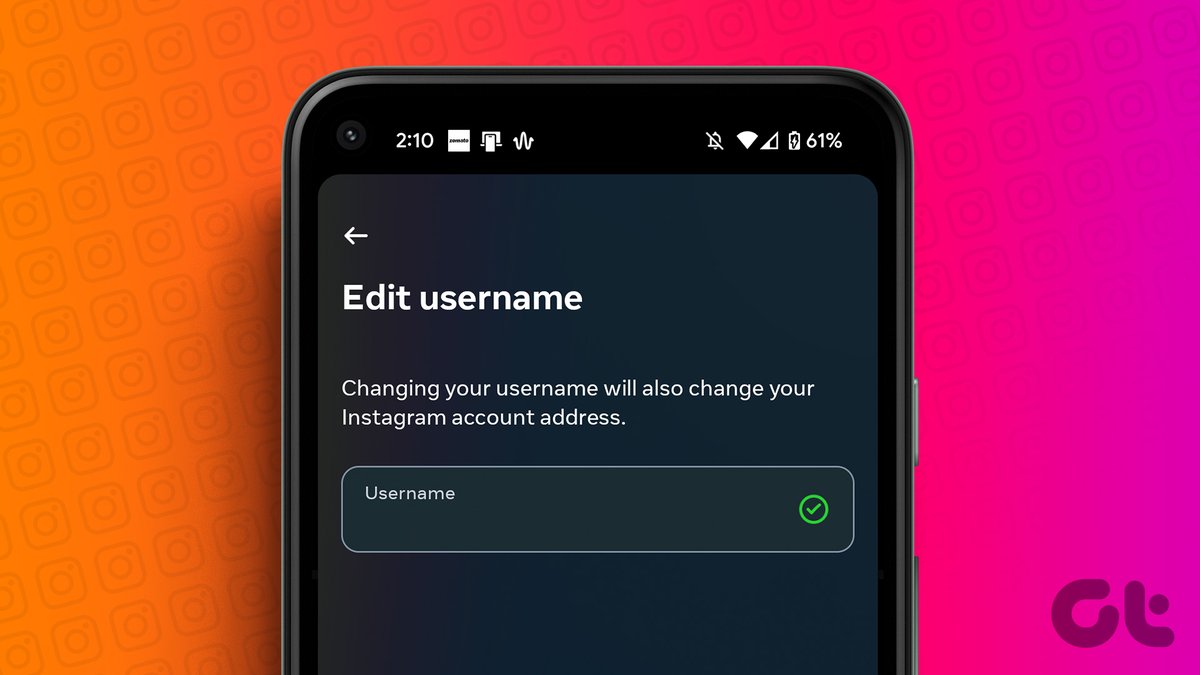
Changing your Instagram username isn't just a simple tap and type; it's a strategic move that, when executed thoughtfully, can refresh your digital identity and boost your brand. But mishandled, it risks disrupting your hard-earned connections and discoverability. If you’re looking to redefine your online presence without losing a single follower, mastering the art of managing and changing your Instagram username effectively is paramount. It’s about more than just a new handle—it’s about a seamless transition that reinforces your brand, not confuses it.
At a Glance: Your Instagram Username Change Checklist
- Plan Ahead: Announce your change 3-5 days in advance across all platforms.
- Secure & Sync: Check the new handle's availability on other social platforms and secure it.
- Audit Links: Identify and prepare to update all external links pointing to your old profile.
- Communicate Constantly: Use Stories, posts, and DMs to inform your audience and collaborators.
- Monitor & Adapt: Track mentions of your old handle and guide users to your new one.
- Business Boost: For brands, leverage analytics, email lists, and even small ad campaigns.
- Double-Check: Ensure your chosen new handle doesn't have a negative history.
Why Your Instagram Username Matters More Than You Think
Your Instagram username, or handle (that unique @name like @yourname), is a cornerstone of your digital identity. It's how people find you, tag you, mention you, and even discuss your brand. It forms your direct profile link (instagram.com/yourname) and is a critical component of your brand's consistency across the web.
Think of it as your digital street address. If you move, you need to inform everyone, or mail won't reach you. Similarly, a username change impacts:
- Discoverability: A well-chosen username can be easier to remember and search for.
- Brand Consistency: Mismatched handles across platforms can dilute your brand and confuse your audience.
- Credibility: A consistent, professional handle builds trust.
While Instagram doesn't automatically "lose" your followers when you change your username, the potential for confusion, broken links, and lack of clear communication can absolutely lead to follower attrition. People might not find you, might assume you've disappeared, or simply get frustrated. Our goal is to prevent that.
Username vs. Display Name: Clarifying the Instagram Identity
Before we dive into the 'how,' let's quickly clarify two key terms:
- Instagram Username (Handle): This is your unique identifier. It starts with an "@" symbol (e.g., @yourname) and is part of your profile URL. No two accounts can have the same username. This is what we're focused on changing.
- Instagram Display Name: This is the more prominent name shown at the top of your profile, above your bio. It doesn't have to be unique, can include spaces, emojis, and special characters, and often reflects your real name or business name. You can change this independently and much more freely without the same level of impact as a username change.
The "Why": Common Reasons to Change Your Instagram Username
So, why embark on this journey? The reasons are varied and often strategic:
- Rebranding or Business Pivots: Your hobby account evolved into a full-fledged business, or your business shifted its focus. Your old handle no longer reflects your current mission.
- Legal or Copyright Issues: You've discovered your current handle infringes on a trademark or another established entity.
- Username Optimization: Perhaps your current handle is too long, hard to spell, includes outdated numbers, or isn't optimized for search (e.g., you want to include a keyword related to your niche). Sometimes, a simpler, snappier handle just makes more sense. If you're struggling to come up with ideas, a robust AI Instagram username generator can provide creative and relevant suggestions tailored to your brand or niche.
- Personal Identity Changes: A marriage, a new stage of life, or a desire for a more professional online persona might prompt a personal account's username change.
- Securing a Better Handle: You've had your eye on a particular username for a while, and it just became available.
Whatever your reason, approaching the change with a clear strategy is non-negotiable.
Step-by-Step: How to Change Your Instagram Username
The actual process of changing your username on Instagram is surprisingly straightforward. The complexity lies in the preparation and post-change management, which we'll cover in detail.
On the Instagram App (Mobile)
This is the most common method:
- Open the Instagram App: Launch the app on your smartphone or tablet.
- Go to Your Profile: Tap your profile picture in the bottom-right corner of the screen.
- Tap "Edit Profile": This button is usually located right below your bio section.
- Tap on the "Username" Field: You'll see your current username listed here.
- Type in Your New Username: Delete the old one and carefully enter your desired new handle.
- Note: Instagram will immediately check if the name is available. If it's taken, you'll be prompted to try another variation or a different name. Be prepared with a few options.
- Tap "Done": This button is typically in the top-right corner. Confirm your choice.
Voilà! Your username is instantly updated.
On a Computer (via Instagram.com)
While the mobile app is most popular, you can also change your username through the web browser:
- Go to instagram.com and log in: Access the Instagram website from your preferred browser.
- Click your profile picture: This is located in the top-right corner of the screen.
- Click "Profile": From the dropdown menu, select "Profile."
- Click "Edit Profile": This button is usually next to your username and display name.
- Click "See More in the Accounts Center": Instagram now centralizes profile management for linked accounts. This link is usually found towards the top left of the "Edit Profile" page.
- Select the profile to update: If you have multiple accounts linked in your Accounts Center, choose the one whose username you wish to change.
- Click the profile information (Name, Username, or Profile Picture): This will open a page where you can edit various aspects of your profile.
- Make desired changes to the username: Edit the field that displays your current username.
- Click "Done" or "Save Changes" to save.
Your username will be updated across all Instagram platforms instantly.
The Master Plan: Critical Preparations Before Changing Your Username
The actual username change takes seconds, but the preparation takes days. This is where you proactively prevent follower loss and ensure a smooth transition. Don't skip these steps.
1. Announce Ahead of Time (3-5 Days' Notice)
Your audience isn't psychic. Give them a heads-up! Start announcing your upcoming username change 3-5 days in advance.
- Instagram Stories: Use countdown stickers, polls, and Q&A boxes to build anticipation and explain your "why." Create a series of engaging slides.
- Feed Posts/Reels: Dedicate a post or a short Reel to your announcement, clearly stating the new handle and the date of the change. Pin this post to the top of your profile temporarily.
- Other Platforms: If you have a presence on TikTok, YouTube, X (Twitter), Facebook, etc., make parallel announcements there too.
Why it matters: This primes your audience, reduces confusion, and gives them time to adjust.
2. Check Cross-Platform Availability & Consistency
Your brand likely lives in more places than just Instagram. Before you commit to a new handle:
- Audit Other Platforms: Check if your desired new username is available on all your relevant social media platforms (TikTok, X, YouTube, Threads, LinkedIn, Pinterest, etc.).
- Secure Immediately: If it's available, create an account with that username on those platforms before changing it on Instagram. Consistency is key for brand recognition and discoverability. You don't want to be @newname on Instagram and @new_name_official on TikTok.
Why it matters: Brand cohesion across platforms is crucial. A unified handle makes it easier for people to find and follow you everywhere.
3. Secure the New Handle (Advanced Tactic for Competitive Names)
For highly sought-after usernames, there's a small window where someone else could snatch your desired handle between the moment you check availability and when you actually make the change.
- Temporary Lock-Down: If your new handle is competitive, consider temporarily creating a backup Instagram account using that desired username. Once you change your main account's username, you can then release the temporary account's handle and immediately claim it with your primary account.
- Caveat: Instagram's system is fast. The moment you release a handle, it immediately becomes available to the public. This tactic requires quick fingers and precise timing, and there's always a slight risk. It's generally more relevant for brand accounts with unique, short names.
Why it matters: Prevents "squatting" or someone else from taking your ideal name before you can.
4. Audit & Update External Links
This is arguably the most critical step for maintaining discoverability and preventing broken links.
- Comprehensive Inventory: Make a list of everywhere your old Instagram profile link or username is embedded:
- Your website's contact page, footer, "About Us" section.
- Link-in-bio tools (Linktree, Beacons, etc. – these are priority one!).
- YouTube channel descriptions, video end cards, and pinned comments.
- Email signatures (personal and business).
- Digital products (eBooks, courses, templates).
- Blog posts and articles where you've linked to your Instagram.
- Online portfolios (Behance, Dribbble).
- Business directories (Google My Business, Yelp).
- Partnerships or collaborations pages on other websites.
- Prepare Updates: Have all the new links ready to paste the moment your username changes.
Why it matters: Broken links lead to dead ends, frustrated users, and missed opportunities for engagement and conversion.
5. Save Highlights: Create a "New @" Explainer
Your Instagram Highlights are a permanent place for important information.
- Dedicated Highlight: Create a new Highlight (or update an existing one) specifically explaining your username change. Include a series of Stories that cover:
- The old name vs. the new name.
- The reason for the change.
- Reassurance that your content and mission remain the same.
- A call to action for people to tag your new handle.
Why it matters: Provides an evergreen reference point for followers who might miss your initial announcements.
6. Notify Collaborators & Top Followers
Beyond your general audience, certain individuals and entities need a direct heads-up.
- Direct Messages/Emails: Reach out to brand partners, agencies, co-creators, and your most engaged followers. Ask them to update any saved tags, links, or mentions of your old handle.
- Community Managers: If you manage a community or group, inform the moderators.
Why it matters: Ensures your professional network is aware and can continue to tag and collaborate with you correctly, avoiding potential brand confusion or missed opportunities.
7. Screenshot Your Bio
While seemingly minor, this can be a lifesaver.
- Quick Reference: Take a screenshot of your current Instagram bio. This allows for easy recreation of important links, contact info, or messaging if anything gets lost or you need to revert quickly.
Why it matters: A simple safety net to avoid scrambling for details post-change.
8. Prepare Visual Updates
A username change can be part of a larger refresh. Use this opportunity to signal intentionality.
- New Profile Picture/Logo: Design a new profile picture or logo that aligns with your new branding.
- Color Scheme/Branding Elements: If part of a larger rebrand, have new visual assets ready to roll out simultaneously.
Why it matters: A fresh visual identity reinforces the new handle and signals a deliberate, positive change.
9. Avoid Simultaneous Display Name Change
During the username transition, keep one element of your identity consistent.
- Maintain Display Name: While you're changing your username, keep your display name (the one above your bio) consistent for a few days or weeks. This provides a familiar anchor for your audience. Once the username change has settled, you can update your display name if desired.
Why it matters: Reduces the cognitive load on your audience. Too many changes at once can be overwhelming and lead to "lost" followers.
10. Double-Check Handle History
A crucial, often overlooked step, especially for competitive or generic handles.
- Research Past Use: Use tools like the Wayback Machine (archive.org) to check if your desired new handle was previously used and, if so, by whom and for what purpose. A handle with a negative, controversial, or spammy past can inadvertently associate you with that history.
- Google Search: Do a quick Google search for the handle to see if any problematic associations appear.
Why it matters: Protects your new brand from inheriting unwanted baggage or negative connotations.
After the Switch: Your Post-Change Survival Checklist
The moment you tap "Done," the real work begins. Your username has changed, now it's time for activation and monitoring.
1. Update All Links (The Immediate Scramble)
This is priority #1. Refer back to your inventory from the preparation phase.
- Link-in-Bio Tools: Immediately log into Linktree, Beacons, or whatever service you use and update your Instagram link.
- Your Website: Update all instances of your Instagram link on your website, blog, and contact pages.
- E-commerce & Business Listings: Don't forget Shopify stores, Etsy profiles, Pinterest, Google Business Profile, Yelp, etc.
- Email Signatures: Update your professional email signatures.
- Digital Products: If feasible, update links within digital products you've sold or given away (eBooks, PDFs). For older products, consider a dedicated page on your website with updated links.
Why it matters: Ensures continued traffic and prevents dead ends for users trying to connect with you.
2. Monitor Old Tags and Mentions
People will inevitably continue to tag your old handle for a while.
- Social Listening Tools: Use social listening tools like Mention, Brand24, or even Instagram's saved search feature to track mentions of your old handle.
- Engage & Redirect: When you see an old tag, respond politely, thanking them for the mention and gently guiding them to your new handle (e.g., "Thanks for the tag! Just a friendly reminder, my new handle is @newname!").
- Manually Check: Scroll through your followers' posts or stories where you might typically be tagged.
Why it matters: Lets you proactively correct errors and ensure people are using your new, correct handle.
3. Communicate The Change (Again, and Again)
Repetition is key for retention. Don't just announce once; reinforce the message.
- Series of Posts/Stories: Continue to post a series of visual reminders:
- "Hey friends, something's changed..." (Show old vs. new handle).
- "I've updated my @username to better reflect [reason - e.g., 'my new focus on sustainable living,' 'our brand's expanded services']."
- "Still the same great content, just a fresher handle!"
- "Tag me with @newhandle so I can repost you!"
- Bio Update: Keep a clear note in your bio for at least a few weeks, e.g., "Formerly @oldhandle, now @newhandle!"
Why it matters: Constant, clear communication helps cement the new identity in your audience's minds.
4. Adopt a New Branded Hashtag (Optional but Recommended)
If your old username was part of a branded hashtag (e.g., #OldNameCommunity), consider creating a new one.
- Unique Identifier: Start using a new unique branded hashtag that aligns with your new handle or brand (e.g., #NewNameProject, #YourNameArt, #ThriveWithNewName).
- Encourage Use: Promote its use in your posts, Stories, and bio.
Why it matters: Establishes a fresh, identifiable tag for your community and content.
Important Considerations & FAQs
Navigating a username change can raise several questions. Here are clear answers to common concerns:
Is there a limit to how often I can change my username?
While Instagram doesn't publish an official limit, frequent username changes (e.g., multiple times a week) are generally discouraged. They can confuse your audience, make your account appear less stable, and potentially even flag your account for unusual activity (though this is rare for legitimate changes). Aim for infrequent, well-planned changes.
Can I revert to my old username?
Yes, but with a critical caveat. If your old username is still available, you can change back to it. However, the moment you change your username, your previous handle becomes immediately available to the public. There's no grace period or lock on it. If someone else snatches it before you try to revert, it's gone.
Does Instagram notify my followers when I change my username?
No. Instagram does not automatically notify your followers of a username change. This is why your proactive communication strategy is so vital. Your followers will only see the new username if they visit your profile or see your posts after the change.
What if my old username is taken maliciously?
If your previous username is taken by someone impersonating you or using it for harmful purposes, you should report the account to Instagram for impersonation. While Instagram's response time can vary, verified accounts sometimes receive more direct support in recovering their old handles or getting malicious accounts taken down.
What happens to old mentions/tags of my previous username?
Old mentions and tags will essentially become dead links. They won't redirect to your new profile. This means if someone clicks on an old tag like "@oldname" in an older post, it will lead to a "User not found" page, or worse, to the profile of whoever might have taken your old handle. This reinforces the need for extensive communication and updating links.
Bonus Tips for Business Accounts
For brands and businesses, a username change is more than a personal preference—it's a critical branding decision.
- Leverage Instagram's Professional Dashboard: Before and after your change, dive into your analytics. Note your reach, engagement, follower growth, and website clicks. This helps you understand the impact of your change and adjust your post-transition strategy.
- Run a Small Ad Campaign: Consider a targeted ad campaign for a few weeks post-change. This can help reintroduce your new handle to both your existing audience and potentially new demographics, reinforcing the new identity and driving traffic. Focus on "Brand Awareness" or "Reach" objectives.
- Set Up Email Marketing Automation: If you have an email list, create an automated email sequence to announce the change. Send a series of 2-3 emails over a week or two, clearly stating the new handle and the reasons behind the change. Include updated social links in all your email footers.
- Update All Marketing Collateral: Don't forget offline assets like business cards, brochures, signage, and packaging. Plan for these updates to ensure consistency everywhere your brand appears.
Real-World Success: Learning from Others' Seamless Transitions
Strategic planning isn't just theory; it works.
- The Content Creator's Countdown: A user (let's call her Sarah, a digital artist) decided to change her handle from
@ArtBySarah55to@SarahCreatesDailyto reflect her commitment to consistent content creation. She started a countdown on her Stories five days out, explaining her "why" and teasing her new visual style. On the day of the switch, she changed her profile image to a new, vibrant logo and released a short Reel announcing the change, encouraging followers to use her new tag. Post-switch, she actually saw a slight increase in engagement, attributed to the transparency and the fresh branding. Her followers felt included in the journey, not abandoned. - The Fitness Coach's Pivot: A fitness influencer, known as
@FitCoachJane, decided to pivot her brand to holistic wellness coaching, a broader niche. Her new handle,@WellnessWithJane, reflected this shift. She explained the transition in a heartfelt series of Instagram DMs to her top clients and an in-depth newsletter to her subscriber list. Within 24 hours of the change, she updated all her Pinterest boards and TikTok bio links. Her engagement remained strong, as her audience understood the evolution and felt respected by her proactive communication. She successfully maintained her community while expanding her brand's focus.
Your Seamless Transition Awaits
Changing your Instagram username can feel like a daunting task, fraught with the fear of losing your hard-earned audience. However, by embracing a meticulous planning process, communicating transparently, and diligently managing your digital footprint post-change, you can not only avoid follower attrition but also emerge with a stronger, more aligned brand identity.
Remember, the goal isn't just to change your username—it's to evolve your online presence. Take these steps seriously, approach the process with confidence, and you'll navigate your Instagram username change effectively, without ever looking back. Your renewed digital identity is just a few thoughtful steps away.